Scientific data 3 min read
Archive and summarize a dataset
Use Compression and HDF5 together, verify a restored archive, and request a server-side statistic with explicit coverage.
- Written for
- CLIO Kit 2.11
- Works in
- Claude Code · Codex · Clio Coder · OpenCode
- Basis
- Recorded sessions · 7 Oct 2026
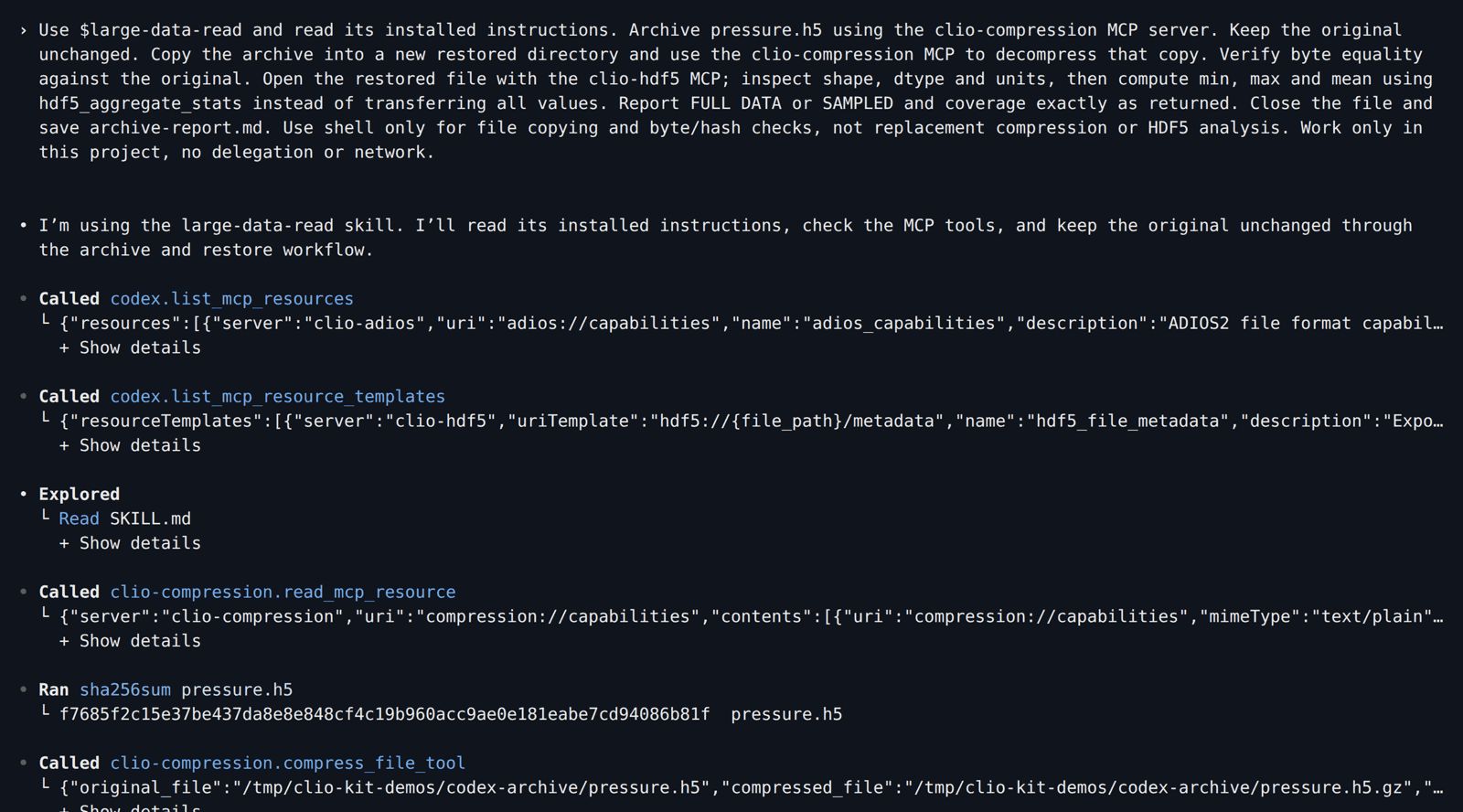
Compress a scientific file, restore a copy, and summarize its contents without sending every value to the model. This workflow combines the Compression MCP, the HDF5 MCP and the large-data-read skill. The screenshots are real sessions in Claude Code, Codex, Clio Coder and OpenCode, recorded with the versions listed in Explore an HDF5 file.
1. Make the input
After installing the launcher, start in a new directory. Download create_pressure.py there and run:
mkdir archive-demo
cd archive-demo
uv run --no-project --with h5py python create_pressure.py
The script creates pressure.h5, with 100,000 float64 pressures in kPa. It
refuses to overwrite an existing file. This small, predictable fixture exercises
the workflow; it is not a large-data stress test or a compression benchmark.
2. Install, ask and follow the tool calls
Replace /path/to/clio-kit with your checkout.
- Claude Code
- Codex
- Clio Coder
- OpenCode
clio-kit plugin install clio-scientific-io \
  --root /path/to/clio-kit --client claude-code --project "$PWD"
claude
Enable the project MCP servers, then paste:
Use /large-data-read and read its installed instructions. Archive pressure.h5 using the clio-compression MCP server. Keep the original unchanged. Copy the archive into a new restored directory and use the clio-compression MCP to decompress that copy. Verify byte equality against the original. Open the restored file with the clio-hdf5 MCP; inspect shape, dtype and units, then compute min, max and mean using hdf5_aggregate_stats instead of transferring all values. Report FULL DATA or SAMPLED and coverage exactly as returned. Close the file and save archive-report.md. Use shell only for file copying and byte/hash checks, not replacement compression or HDF5 analysis. Work only in this project, no delegation or network.
Claude loads the skill, backs up and hashes the original, and groups its MCP calls in the main view:
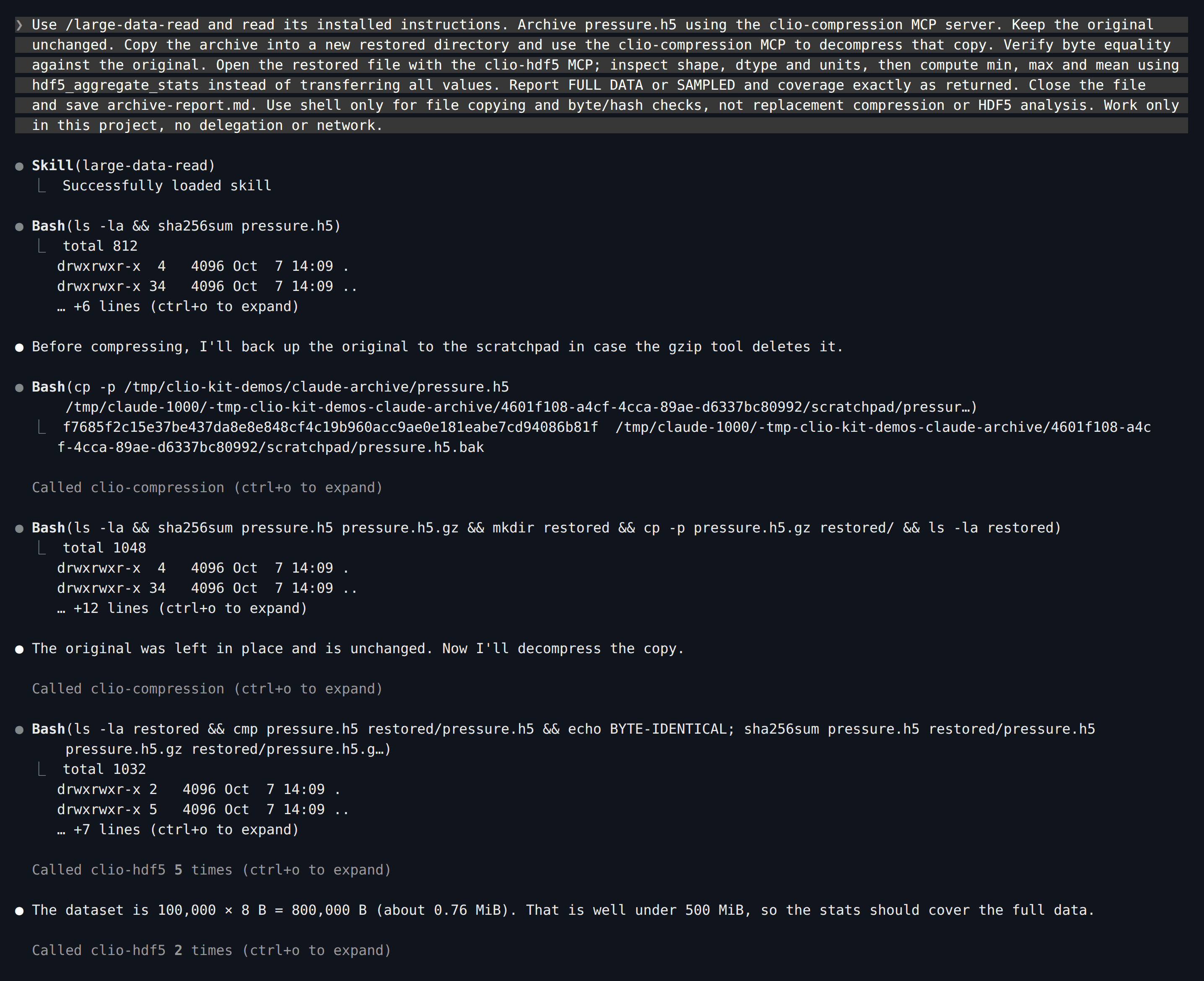
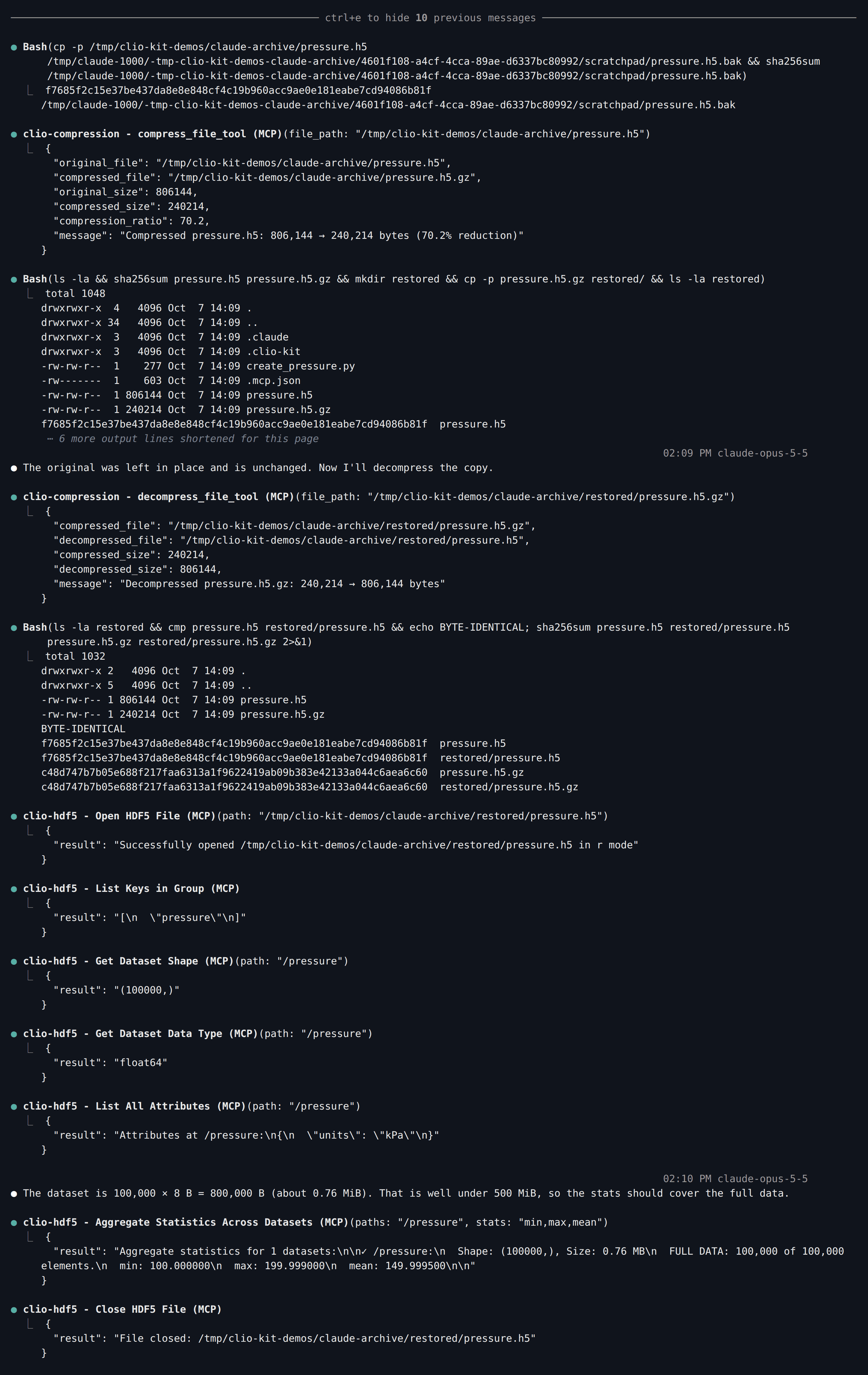
Ctrl+O expands each call. The two compression steps are actual MCP tools, not
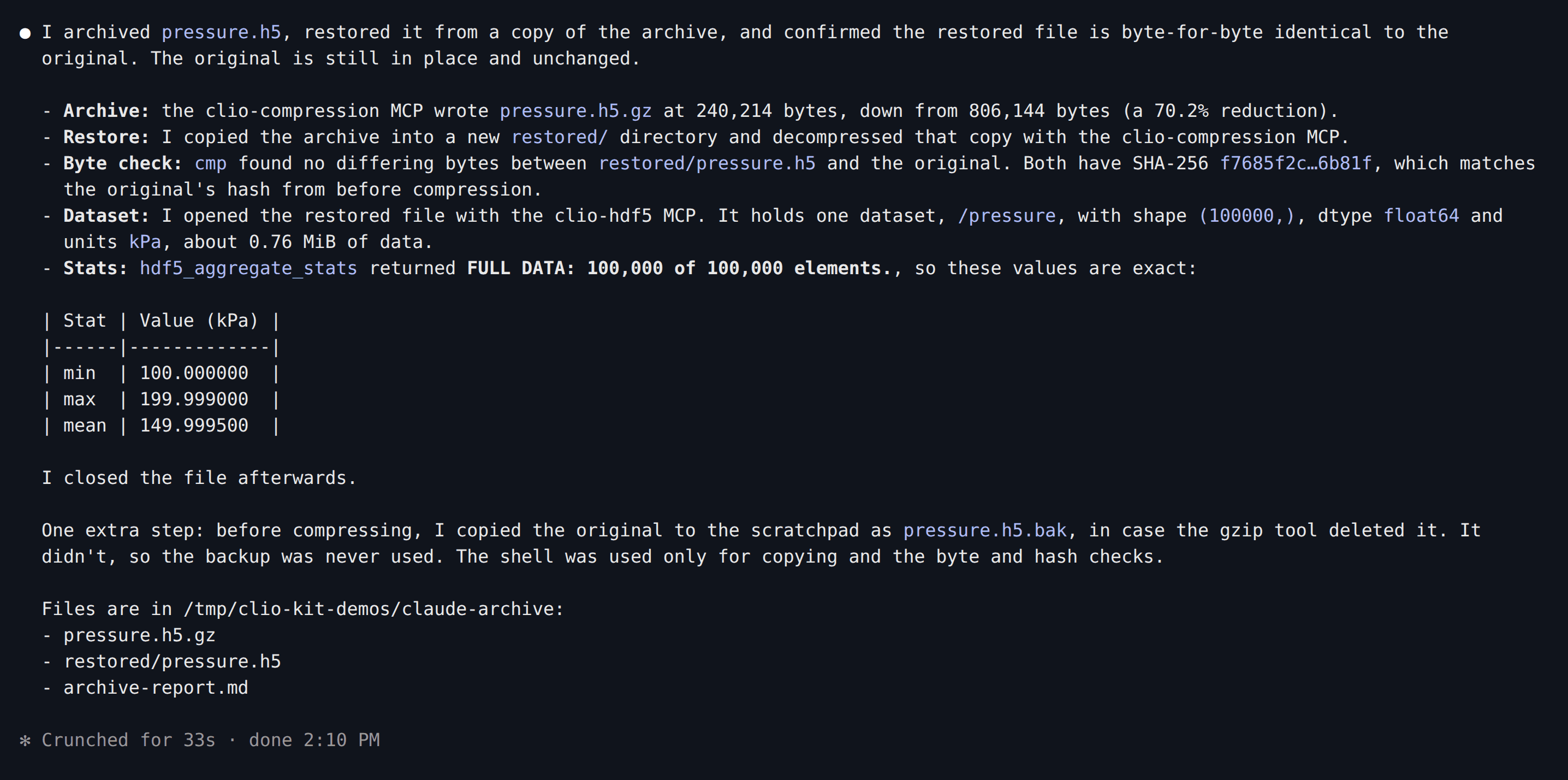
shell substitutes, and the statistic comes from hdf5_aggregate_stats:
clio-kit plugin install clio-scientific-io \
  --root /path/to/clio-kit --client codex --project "$PWD"
codex
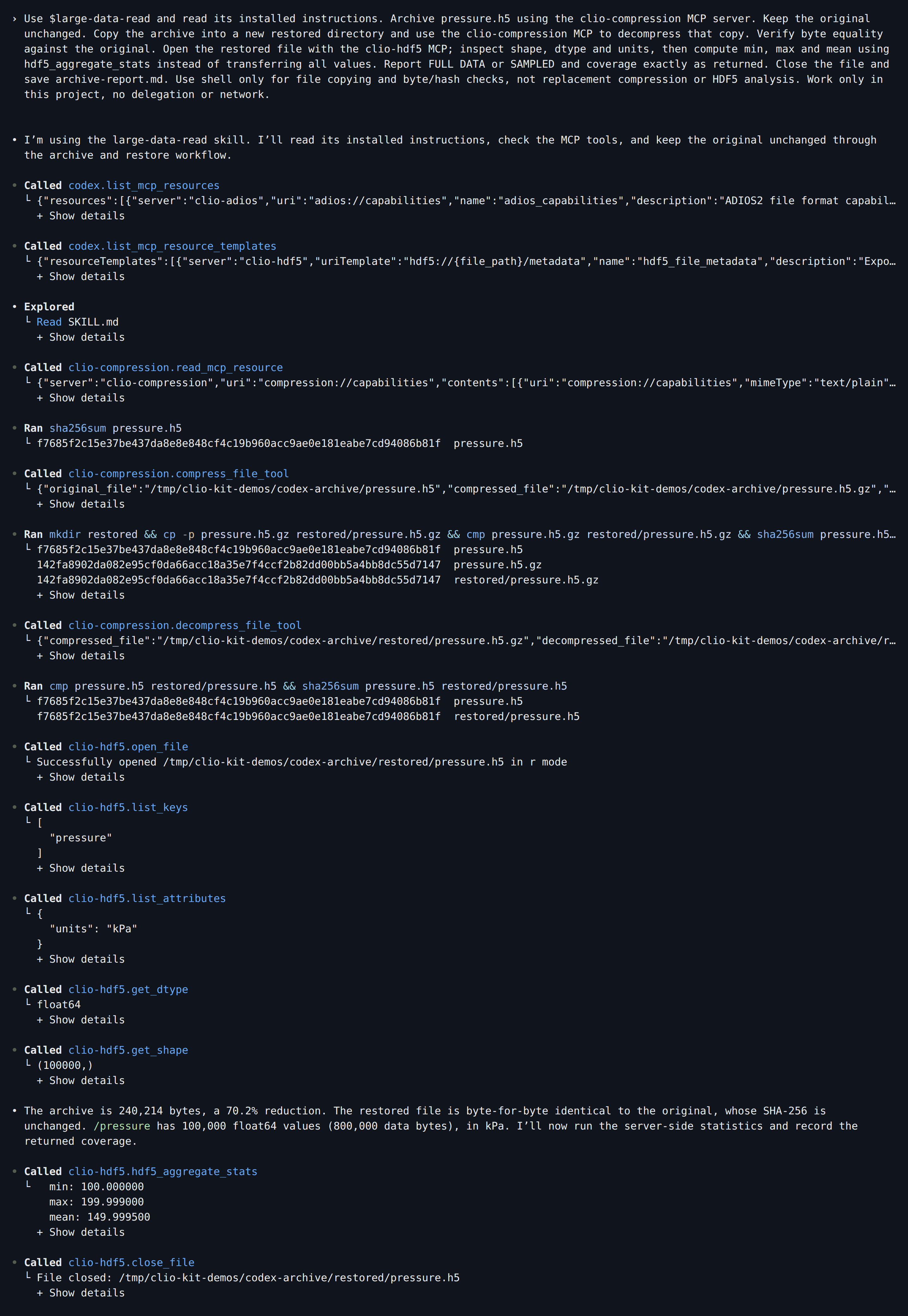
Trust the folder, check /mcp, then paste:
Use $large-data-read and read its installed instructions. Archive pressure.h5 using the clio-compression MCP server. Keep the original unchanged. Copy the archive into a new restored directory and use the clio-compression MCP to decompress that copy. Verify byte equality against the original. Open the restored file with the clio-hdf5 MCP; inspect shape, dtype and units, then compute min, max and mean using hdf5_aggregate_stats instead of transferring all values. Report FULL DATA or SAMPLED and coverage exactly as returned. Close the file and save archive-report.md. Use shell only for file copying and byte/hash checks, not replacement compression or HDF5 analysis. Work only in this project, no delegation or network.

Save this as .clio-coder/mcp.yaml:
version: 1
servers:
  - id: clio-compression
    command: clio-kit
    args: [mcp-server, compression]
    timeoutMs: 120000
  - id: clio-hdf5
    command: clio-kit
    args: [mcp-server, hdf5]
    timeoutMs: 120000
clio-coder mcp trust clio-compression
clio-coder mcp trust clio-hdf5
clio-kit skill install large-data-read --target .clio-coder/skills
clio-coder
Paste:
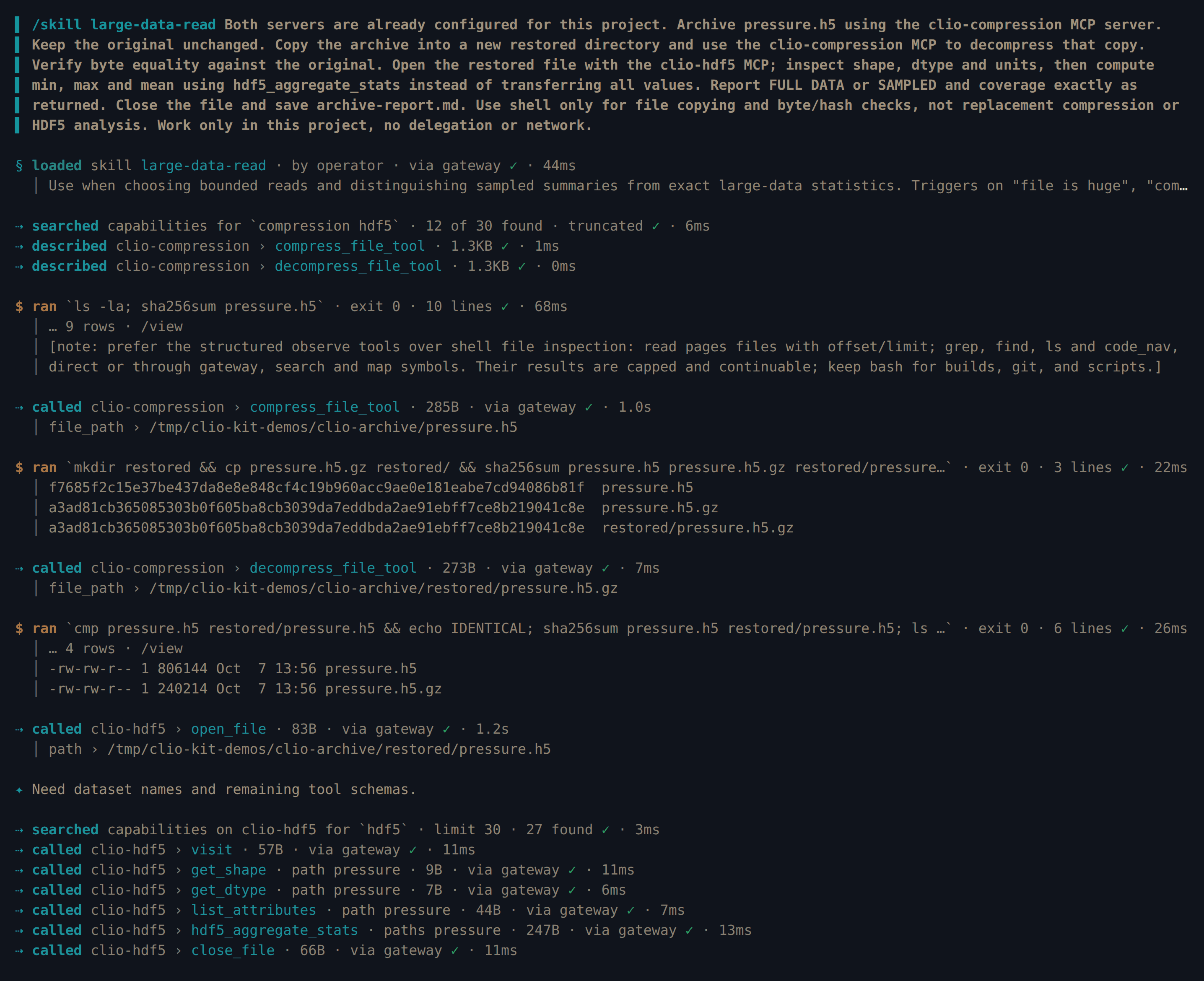
/skill large-data-read Both servers are already configured for this project. Archive pressure.h5 using the clio-compression MCP server. Keep the original unchanged. Copy the archive into a new restored directory and use the clio-compression MCP to decompress that copy. Verify byte equality against the original. Open the restored file with the clio-hdf5 MCP; inspect shape, dtype and units, then compute min, max and mean using hdf5_aggregate_stats instead of transferring all values. Report FULL DATA or SAMPLED and coverage exactly as returned. Close the file and save archive-report.md. Use shell only for file copying and byte/hash checks, not replacement compression or HDF5 analysis. Work only in this project, no delegation or network.
The first sentence stops Clio from searching for MCP configuration files that a fresh folder does not have.
clio-kit plugin install clio-scientific-io \
  --root /path/to/clio-kit --client opencode --project "$PWD"
opencode
Paste:
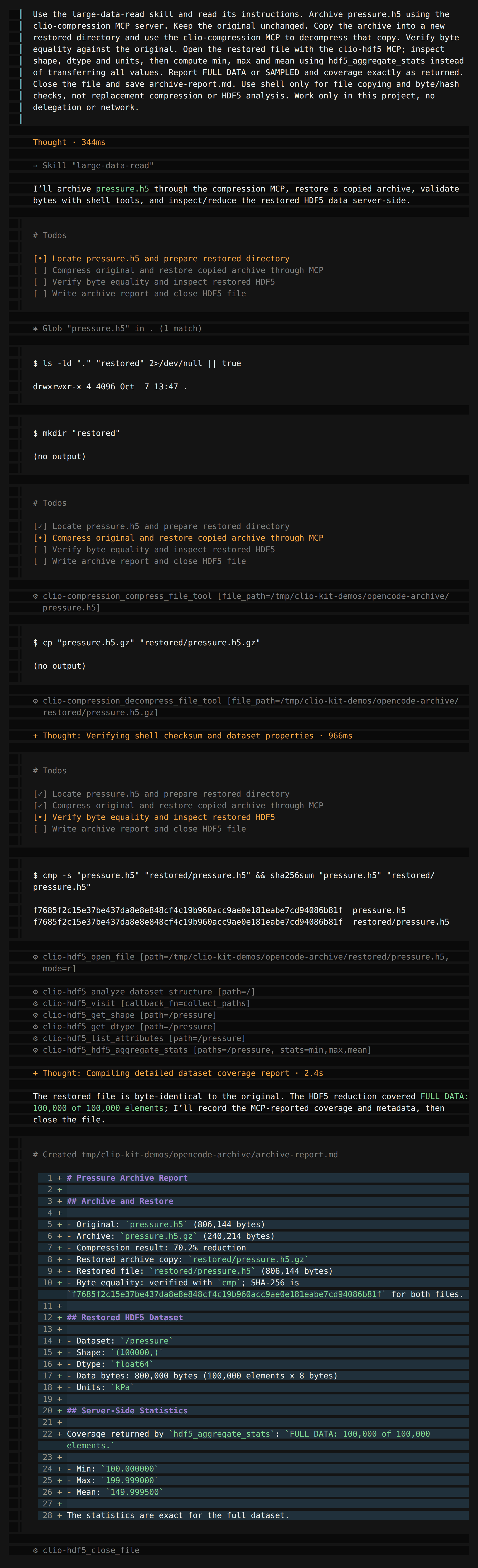
Use the large-data-read skill and read its instructions. Archive pressure.h5 using the clio-compression MCP server. Keep the original unchanged. Copy the archive into a new restored directory and use the clio-compression MCP to decompress that copy. Verify byte equality against the original. Open the restored file with the clio-hdf5 MCP; inspect shape, dtype and units, then compute min, max and mean using hdf5_aggregate_stats instead of transferring all values. Report FULL DATA or SAMPLED and coverage exactly as returned. Close the file and save archive-report.md. Use shell only for file copying and byte/hash checks, not replacement compression or HDF5 analysis. Work only in this project, no delegation or network.
3. Check coverage, not just the mean
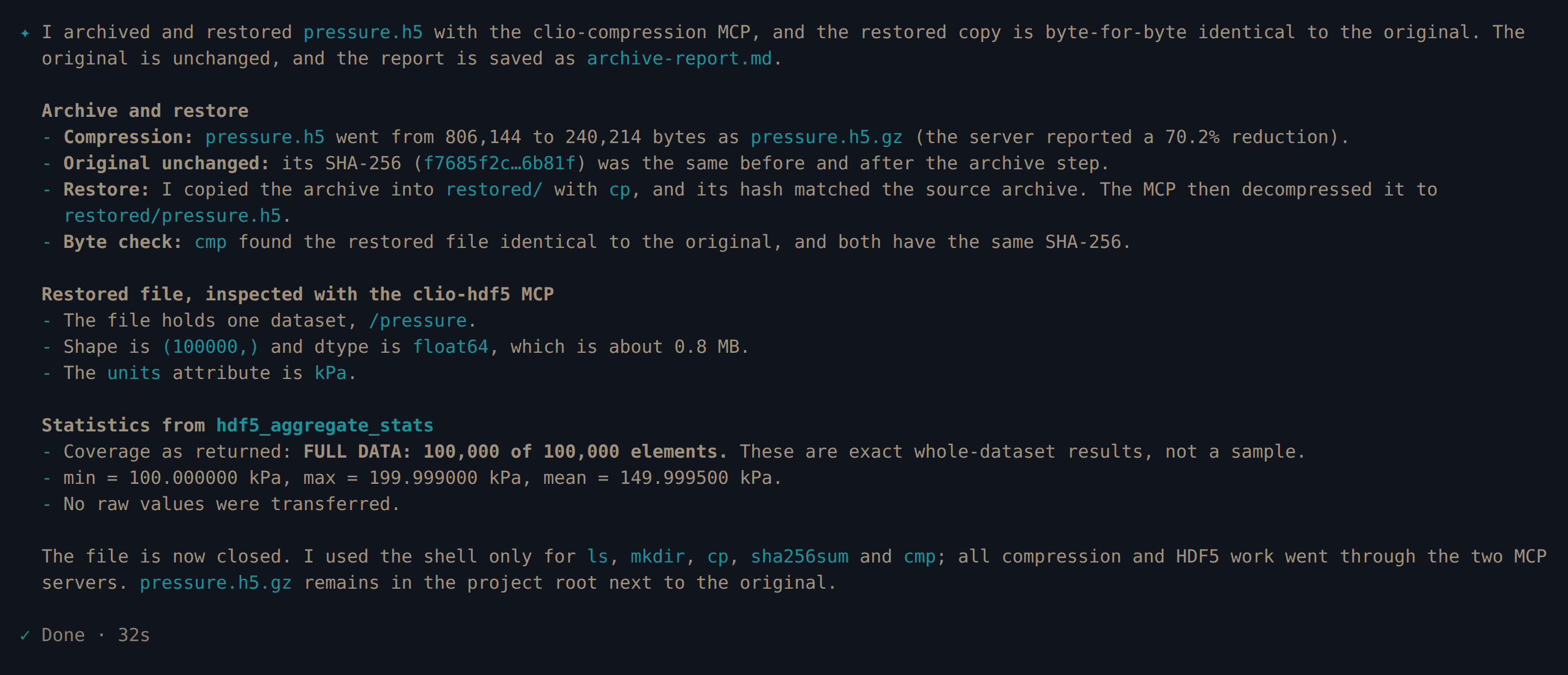
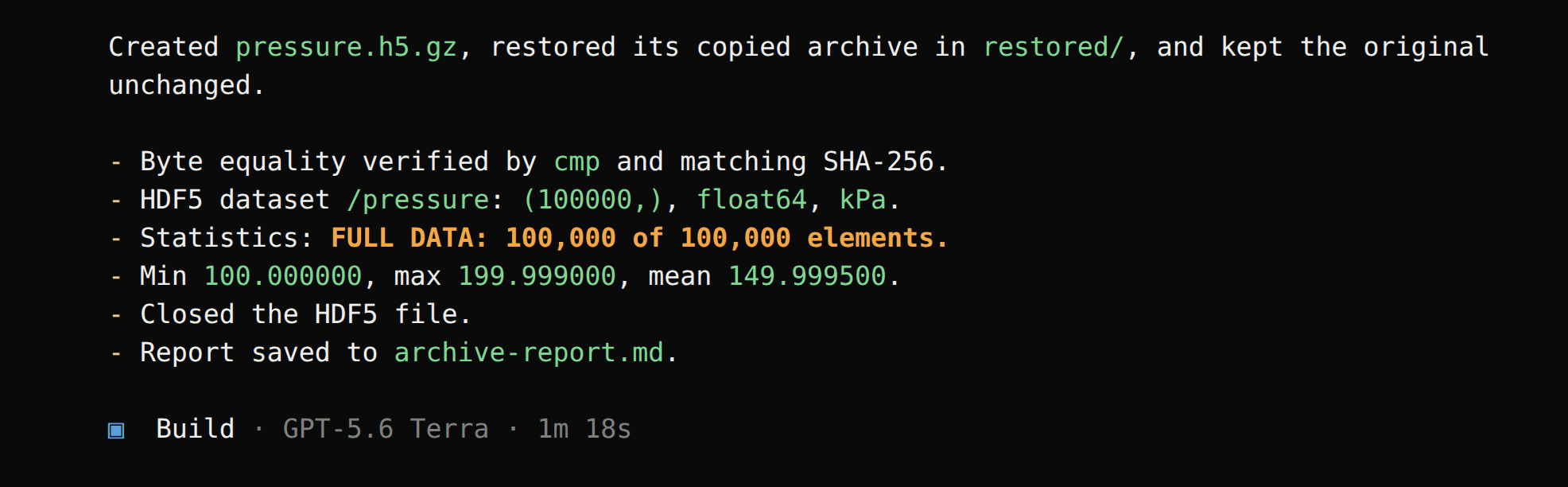
The skill directs the agent to check the size first and use a server-side reduction. For this fixture the server reported FULL DATA, covering 100,000 of 100,000 elements, and the original and restored files matched byte for byte.
cmp pressure.h5 restored/pressure.h5
cat archive-report.md
Expected results:
| Check | Expected |
|---|---|
| Dataset shape / type | (100000,) / float64 |
| Minimum | 100 kPa |
| Maximum | 199.999 kPa |
| Mean | 149.9995 kPa |
| Coverage | Full dataset, 100,000 elements |
After the four recorded sessions we compared each restored file with its original and checked each report for the mean and full coverage. Archive sizes and hashes may differ if the fixture is regenerated with a different library version; compare your own source and restored files.
For an input above the server's sampling threshold, a sampled mean must remain labeled sampled. This run does not validate that large-file path. Use the coverage returned by the tool; see the HDF5 reference.